Aedifex vs SketchUp for Interior Design — Which Tool Fits Your Project?
Compare Aedifex and SketchUp for interior design by setup time, rendering, sharing, AI layout help, free tiers, and project complexity.
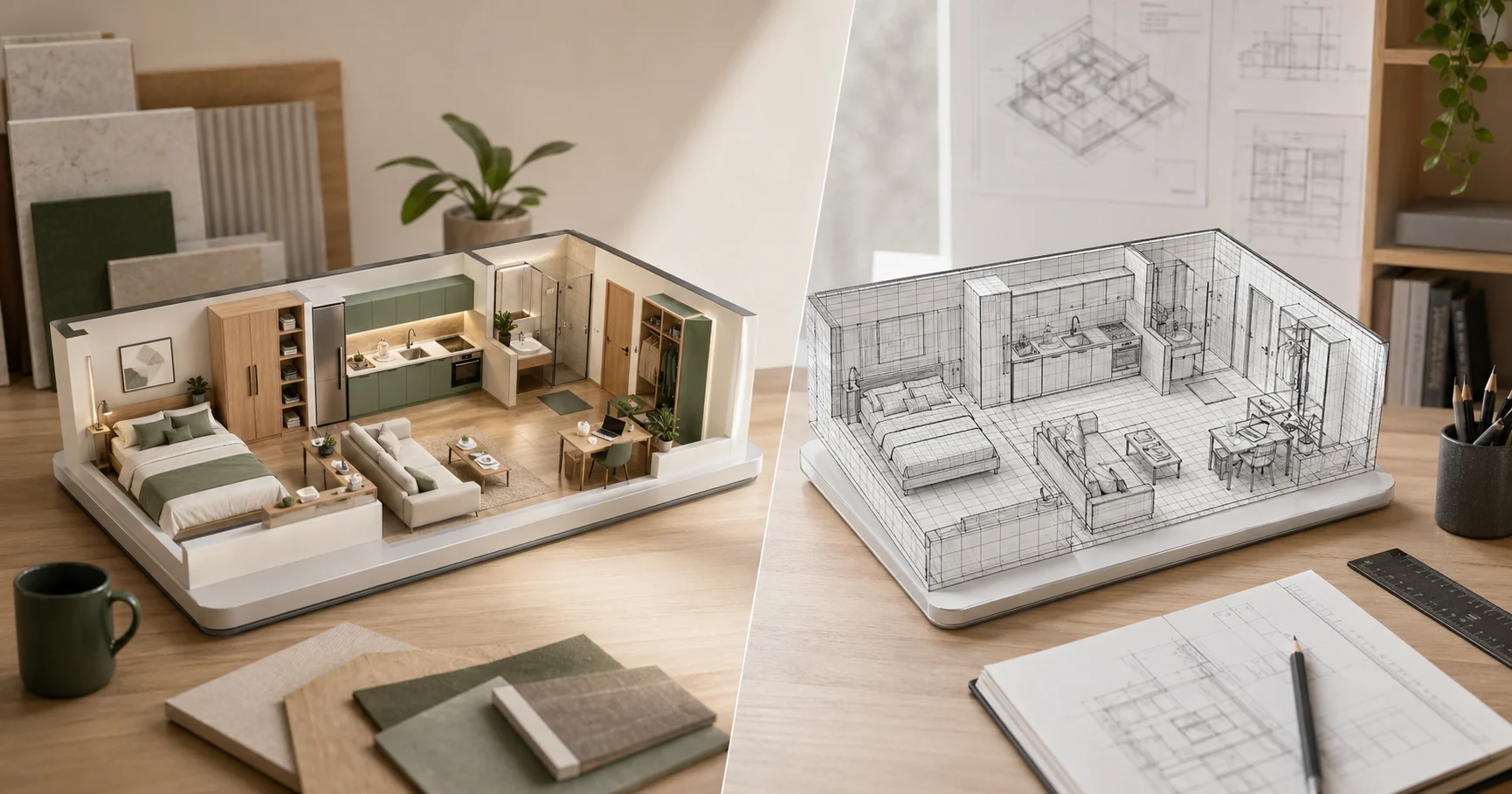
SketchUp is the default answer for many interior design searches because it earned that position: flexible modeling, huge libraries, and a professional ecosystem. Aedifex is built for a narrower job: plan rooms quickly in a browser, see materials and lighting live, and share a walkable scene without asking anyone to install software. The choice depends less on which tool is "better" and more on how detailed your project needs to be.
The Short Answer
| If you're... | Use |
|---|---|
| A licensed designer producing detailed construction documents | SketchUp Pro |
| A homeowner planning a renovation | Aedifex |
| A student learning 3D modeling | SketchUp Free then graduate to Pro |
| A real estate agent staging a listing | Aedifex |
| Doing concept sketches on a Chromebook or tablet | Aedifex |
| Building a 50-floor office tower | Revit (neither tool fits, sorry) |
SketchUp is the broader, deeper tool. Aedifex is the faster, lower-friction tool. They overlap in the middle and that's where the choice gets interesting.
Five Differences That Decide It
1. Installation and access
SketchUp Pro requires a Windows or macOS install (~1.5 GB), an annual subscription, and a hardware spec that excludes most laptops over four years old. SketchUp Free runs in the browser but caps you at limited geometry.
Aedifex runs in any modern browser. Open a tab, design, share. No install, no license server, no GPU minimum spec beyond what your browser already runs.
The friction difference matters more than people admit. When you can open the tool in fifteen seconds, you'll iterate ten times more often.
2. The polygon ceiling
SketchUp can model anything. Custom doors with carved trim, hand-curved staircases, photorealistic ivy on a brick wall. Anything.
Aedifex models the part of architecture and interior design that is mostly parametric: walls, floors, ceilings, windows, doors, and standard furniture. If you need a custom CNC-routed cabinet detail, SketchUp is the stronger tool. That boundary is intentional: Aedifex trades open-ended geometry for faster room planning and live rendering.
3. Real-time vs render passes
In SketchUp, a quick visualization needs the V-Ray plugin and a 5-30 minute render. Final shots take overnight on a workstation. The workflow assumes you batch-render at the end.
In Aedifex, every change is rendered live. Material swaps, lighting changes, furniture rearrangement — you see the final-quality result the same instant you make the change. WebGPU does the heavy lifting in your browser. We have a post explaining how that works.
This is not a free win. The aesthetic ceiling is lower than V-Ray. But for design iteration, where the question is "does this layout work?", seeing the result instantly is more useful than waiting for a polished render.
4. Sharing
SketchUp shares are a .skp file (proprietary, requires SketchUp to open) or a static rendered image (no interaction). 3D Warehouse uploads are public-only.
Aedifex shares are a URL. The recipient opens it in any browser, walks the 3D space, rotates the camera, all without an account. You can keep it private or publish to the public showcase for SEO discovery.
If you've ever emailed a SketchUp file to a client and asked them to install the trial to view it, you know why this matters.
5. AI assistance
SketchUp does not ship with an AI assistant. Third-party plugins exist; they're rough.
Aedifex has native natural-language AI for layout suggestions and furniture placement. Type "put a sofa facing the TV with a coffee table at the right distance" and it works from the dimensions already in the scene. Treat it as a fast first draft, then adjust the details yourself.
When SketchUp wins anyway
- Complex non-parametric geometry. Sculpted balustrades, curved-beam timber roofs, organic shapes. SketchUp's push/pull workflow has no equivalent in Aedifex today.
- Construction documents. SketchUp + LayOut produces stamped-quality drawings. Aedifex doesn't yet ship a CD workflow.
- Existing component libraries. 3D Warehouse has 2 million free models. Aedifex has a curated catalog of common items.
- Very large projects. A 30-room hotel floor in Aedifex would be possible but slow. SketchUp scales further on a workstation.
When Aedifex wins anyway
- Speed of iteration. Open, design, close. No file management, no version conflicts.
- Client review. Send a link, watch them walk it on their phone, get feedback in chat.
- Education and self-learning. No license to wrangle. No Mac/Windows split. Students share work directly.
- Anything cross-device. Start on desktop, continue on iPad in a meeting, finish at home — same project, same URL.
- Free tier with saved projects. Three saved projects with the full editor and share links. SketchUp Free is useful too, but its limits show up sooner in client-facing work.
Try it before committing
Open the Aedifex demo without an account: view the demo scene and rearrange a 3D room. If the speed of iteration feels right for your work, sign up free and save your first project. If you need V-Ray photorealism or LayOut documents, stick with SketchUp Pro.
For many teams, the practical answer is both: Aedifex for early room planning and client review, SketchUp for custom modeling or construction documentation.