Digital Piano and Desk Layout for Work-Practice Swaps
Fit a portable digital piano beside or below a work desk by measuring key height, tray load, pedal space, cable movement, and the daily changeover routine.
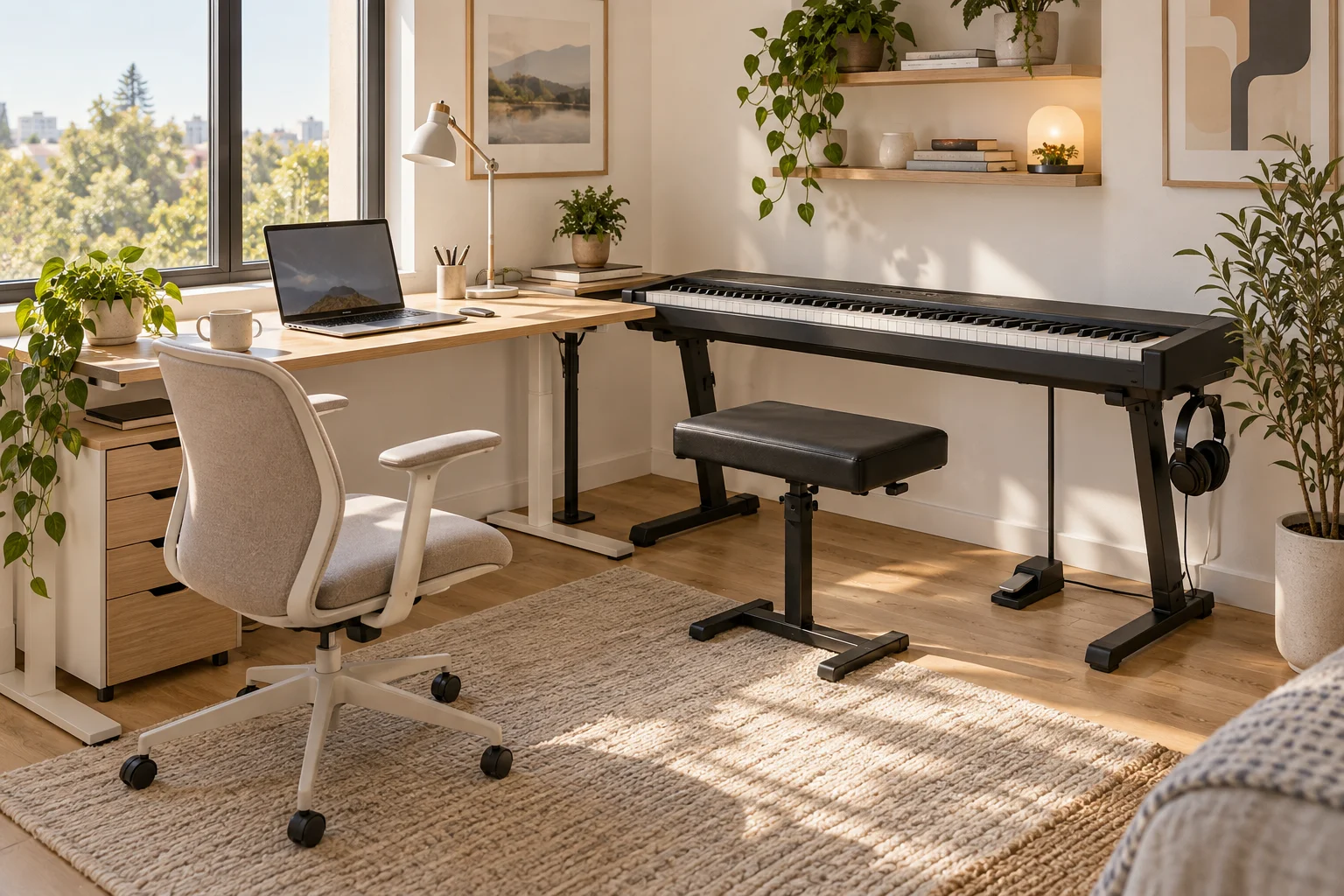
A portable digital piano and a work desk can share a room without sharing the same posture or operating height. The difficult part is usually the transition: a computer keyboard must move, a piano bench needs a place, and a sustain pedal cannot remain tangled beneath an office chair. Instead of treating the instrument as another desktop accessory, plan two complete configurations and the short sequence that connects them.
This guide focuses on portable keyboards and work-practice changeovers. For broader instrument placement and sound considerations, see the small-room piano guide. Here the goal is to make the physical switch repeatable without unsafe lifting, unstable support, or a crowded desk.
Start With the Actual Instrument and Player
Measure the instrument body, not just its advertised key count. Include plugs, music rest, speakers or ventilation openings, power adapter, and any controls that need clearance. A portable 88-key instrument might be roughly 130 cm wide and 30 cm deep, but its support and working dimensions depend on the specific model. A compact keyboard can still project beyond a narrow office desk.
Check the manufacturer's support requirements and total weight. Record the comfortable key-surface height and bench position for the actual player. Do not assume the desk's typing height is also appropriate for piano practice. A teacher or relevant clinician can help with individual posture questions; the room plan should accommodate that position rather than force the person to fit the furniture.
Compare Three Ways to Share the Room
A dedicated stand beside the desk
This arrangement needs more permanent floor space but can make the changeover very simple. Turn away from the computer, move to the bench, and play. Measure the stand's complete base, including feet that extend beyond the instrument. Check stability and compatibility according to both the stand and instrument instructions.
An L-shaped arrangement may work in a spare-room office, but the internal corner can trap knees or cables. Test the office chair at its furthest swivel and recline positions. The instrument should not become the object you hit every time you stand up from a meeting.
A purpose-built pullout beneath the desk
A pullout can reduce the parked footprint, but it introduces support, height, and clearance constraints. Use a solution rated and designed for the actual instrument and intended operation. A shallow computer keyboard tray is not automatically suitable for a digital piano. Consider the entire support assembly, mounting surface, fasteners, extension, and dynamic loads from playing, not just a advertised slide rating.
Have the supplier or a qualified furniture professional confirm suitability. Do not improvise a heavy instrument tray based on a room drawing. Confirm that the extended tray is stable and secure, and that any locking mechanism works as intended. Check for pinch points during deployment and storage.
A portable stand moved for each session
This can preserve a multipurpose room but adds handling work. Determine whether the complete assembly is designed to move with the instrument installed. If it is not, do not assume it can be rolled or dragged safely. Follow handling instructions and use appropriate assistance when needed.
Map the parked location, the practice location, and the route between them. If the setup requires moving a sofa, lifting the instrument over a chair, or disconnecting six accessories every day, it is probably too cumbersome for a short practice habit.
Draw Both Seated Envelopes
For work mode, include the office chair, armrests, foot position, desk drawers, and screen distance. For practice mode, include the bench, elbows, music stand, pedal, and the movement needed to sit and stand. These outlines are often different even when the instrument occupies the same wall.
A 140 by 70 cm desk may appear to shelter a 130 cm instrument, yet its legs, crossbar, and drawers can leave far less usable width. Measure inside those obstructions. Then measure the vertical stack: floor to tray, tray thickness, instrument thickness, and key surface. Check knee clearance in both configurations with the actual furniture before purchasing hardware.
Give the Pedal a Deliberate Position
The sustain pedal needs to remain where the player's foot expects it, following the equipment's instructions. It should not share a loose pile with the office chair's casters. Test the pedal during practice, then establish a parked position for work mode where it does not obstruct feet or create a trip hazard.
If a non-slip product is used, verify compatibility with the floor and equipment. Do not create a raised edge that catches chair wheels. Provide a clear cable route to the instrument without tension at either connector. A pedal that must be rediscovered under the desk every evening is a sign that the transition has not been fully planned.
Design Cables for Movement, Not Just Neatness
List every connection: power, pedal, headphones, USB, audio, and any accessory lighting. Some setups only need power and a pedal; simpler is easier to change. Allow the movement required by a pullout or relocatable stand while preventing loops from entering slides, casters, or walking routes.
Follow cable bend and connector guidance. Keep power adapters ventilated according to their instructions, and avoid trapping them behind a moving tray. Test the entire extension and return motion with the equipment off before using the arrangement. If an electrical installation needs changes, use a qualified professional rather than extending cords across the room.
Rehearse a Two-Minute Changeover
The exact time is a personal target, not a product promise. Begin in work mode. Save work, park the computer keyboard and mouse, move the office chair, deploy the instrument as intended, position the bench and pedal, and place the music. Reverse the sequence after practice.
Count objects that have no destination. A mouse balanced on a speaker, a laptop on the floor, and a bench in the doorway all indicate missing storage. Give each object a named home. A small shelf or drawer may solve the problem only if it does not obstruct ventilation, tray motion, or the player's knees.
Test a Realistic Room Example
In a 260 by 310 cm office, compare a separate stand on the short wall with a purpose-built under-desk arrangement. The separate stand may keep the computer ready for work while reducing open floor area. The under-desk option may preserve more floor area when parked but fail the player's preferred key height or knee clearance.
Choose based on the complete routine rather than the smallest closed footprint. Use the room planner to compare furniture positions and the demo scene to explore spatial relationships. Physical support ratings, posture, and cable travel still need direct verification with the actual equipment.
Before Your First Regular Practice Session
Confirm support compatibility, seated comfort, pedal reach, clear passage, and a stable parked arrangement. Operate the complete transition slowly and inspect cables afterward. When both work and practice can begin without a furniture puzzle, the shared room is doing its job.