Desk Clamp and Cable Tray: Check the Installation Path
Map the clamp plate, tightening tool and tray edge from one desk datum. Compare moving a tray with moving the clamp before ordering and installation.
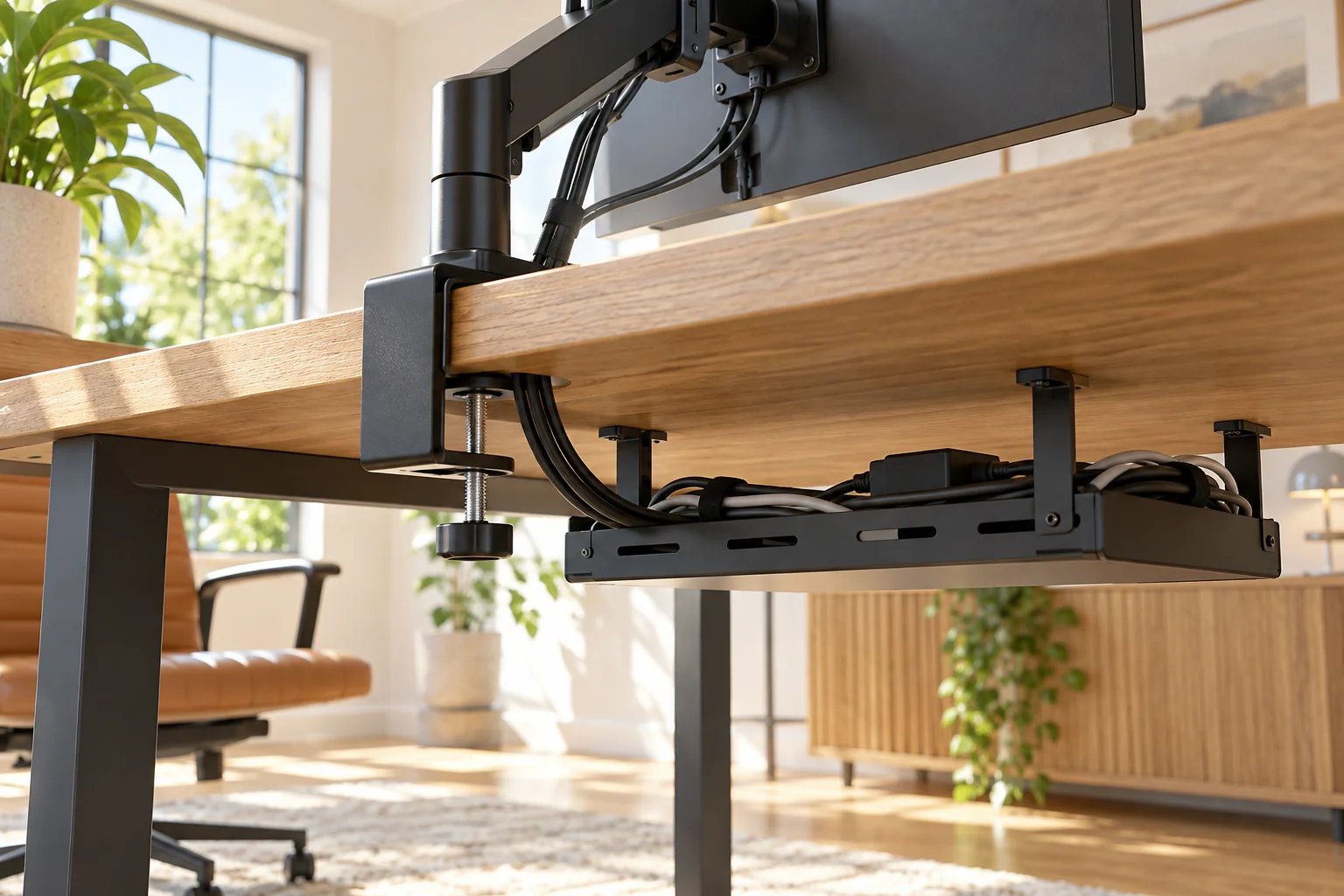
An installed clamp can fit where its installation cannot
A cable tray may clear the final clamp plate but block the screw handle used to tighten it. This article isolates the underside installation and later adjustment path. Moving the whole desk away from a wall does not change a tray attached to the same desktop. For rear joint movement, use the separate monitor arm and wall clearance guide.
Start with the manufacturer's permitted desk materials, top thickness, clamp load and attachment method. This exercise cannot establish structural suitability. The hypothetical dimensions below are original teaching assumptions, not specifications for any arm or tray.
Give every underside part the same origin
Look from the side. Set x = 0 at the rear desktop edge, with x increasing toward the seated user. In the chosen mounting strip, the lower plate occupies x = 0 to 80. A trial tool-and-hand motion requires a further 50 beyond the plate's inner edge, reaching x = 130. That 50 is the additional extension, not a second copy of the entire 130 envelope. Include the actual fastener, handle and tightening method when measuring your product.
Assume the nearest tray edge starts at x = 120 and extends forward. Its height band intersects the tool's path; otherwise this one-dimensional overlap alone would not prove a collision. The static plate stops 40 before the tray, yet the operating envelope overlaps by 130 − 120 = 10.
| Condition | A: tray at 120 | B: tray at 160 |
|---|---|---|
| Lower plate depth | 80 | 80 |
| Additional tool envelope | 50 | 50 |
| Space after tool envelope | −10 | 30 |
| After chosen 5 trial buffer | −15 | 25 |
The calculation is edge distance − plate depth − additional tool extension − chosen buffer. The 5 buffer is a mock-up choice, not a manufacturer's instruction. B moves the tray 40 forward without moving the clamp; it recovers tool space but brings the tray closer to knees and possibly a cross rail.
Change the mounting strip as well as the depth
The depth sketch deliberately omits side-to-side position. Assume the desk is 1400 wide. Measure y from its left edge: the tray occupies y = 200 to 1200, and the clamp's complete installation envelope occupies y = 640 to 760. These overlap laterally, so the depth conflict matters.
An alternative mounting envelope at y = 40 to 160 clears the tray's left end by 40. This can avoid the tray without moving it forward, but a corner bracket, desk leg or unsupported edge can rule out that location. Moving a monitor clamp left also changes the arm reach and screen position. A spare patch of underside is not evidence that the tabletop can carry the load there.
Collect three pieces of evidence before assembly
- Static contact drawing. Record the flat upper and lower contact patches, plate depth and all frame rails. Photograph the underside with one named rear corner. A bevel or rail crossing either contact patch rejects that proposed location even if the thickness is allowed.
- Installation motion. With equipment safely unsupported by the trial clamp, trace the actual insertion, screw rotation and permitted tool motion. Keep a sketch or video reference. If the tray blocks a required turn, do not compensate by leaving the clamp loose or improvising a tightening tool.
- Service access after routing. Mock up the tray, plugs and cable bends and check that the clamp remains inspectable. If the tray must be removed every time, record how equipment is supported and whether the manufacturer's assembly sequence permits it. An empty-tray trial is not proof that a loaded tray can be accessed.
Only measure accessible parts safely; follow product instructions for supporting and assembling equipment. A cardboard envelope can disprove a fit, but it is not a load test.
Choose the least disruptive compatible change
Moving the tray to x = 160 is useful only if approved fixing positions, knee space, frame rails and cable reach permit it. Moving the clamp sideways preserves legroom but may sacrifice screen reach. A compatible alternative mounting method or the original monitor stand can avoid the clamp conflict while consuming desktop space. Do not drill, cut a tray or remove a structural rail to make the sketch work without the relevant product approval.
Try A and B in the underside exercise. Change the tray edge first, then change the measured additional envelope. Read the two outputs separately. The physical tool gap is net = tray distance − plate depth − extra tool extension; margin subtracts the chosen buffer as well. A negative net indicates tool overlap in the assumed shared height-and-width strip. If net is nonnegative but margin is negative, only the selected buffer is unmet: at a tray distance of 132, net is 2 and margin is −3. At 130 the tool touches the tray while the buffer remains unmet. A positive margin still needs the two other axes and contact conditions checked. Inputs reset on refresh and do not record an installation inspection.
Download the underside measurement record (CSV). Keep the example and actual readings separate. Fill the lateral interval and height-overlap evidence as well as the four calculator values, then record which change is permitted. If the desk rises, also follow the sit-stand clearance checks; a clear clamp does not prove that cables survive the desk's travel.
Geometry and assumptions
Original underside side-section, mm. From the rear desktop edge toward the user: lower plate 80, additional tool motion 50, chosen buffer 5. The tray starts at 120. Tray and tool are assumed to overlap in height and lateral position. Read the two results separately: net is the tray distance minus the actual plate and tool envelope; margin also subtracts the chosen teaching buffer. A negative net means physical overlap in the assumed shared height-and-width strip. If net is nonnegative but margin is negative, only the selected buffer is unmet. At a tray distance of 132, net is 2 and margin is −3; at 130 the tool touches the tray and the buffer is still unmet.
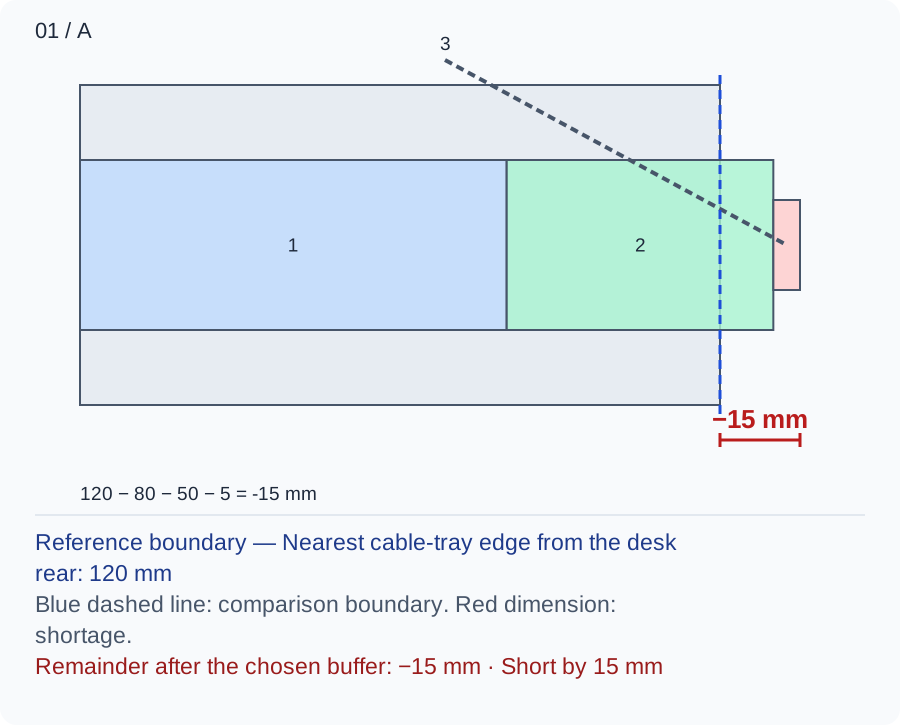
Band 1 alone clears the tray by 40, but bands 1+2 reach 130 and overlap it by 10. Adding band 3 gives −15. A static photograph of the tightened clamp misses the required tool path.
Numbers and marks identify the items described here; use the stated dimensions rather than measuring the screen.
1: lower plate depth; 2: extra tool/hand extension beyond that plate; 3: chosen buffer. View runs rear edge to user; shared height and width are assumptions, not shown product shapes.
| Input | A | B |
|---|---|---|
| Rear edge to tray edge (mm) | 120 | 160 |
| Lower plate depth (mm) | 80 | 80 |
| Additional tool extension (mm) | 50 | 50 |
| Chosen trial buffer (mm) | 5 | 5 |
Changed conditions and evidence
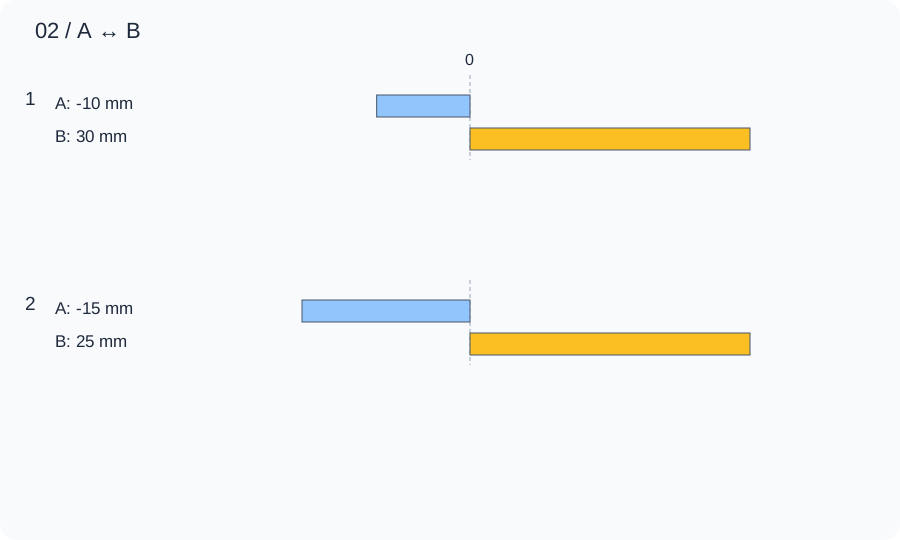
B moves only the tray edge from 120 to 160. Tool space changes from −10 to 30 and buffered margin from −15 to 25. Recheck knees, frame rails and approved tray fixings before accepting the forward move.
| Calculated relationship | A | B |
|---|---|---|
| 1. Gap after clamp and tool envelopes | -10 mm | 30 mm |
| 2. Remainder after the chosen buffer | -15 mm | 25 mm |
Trace actual insertion and tightening with the permitted tool, then inspect access with cables installed. Confirm the flat contact patches and desk compatibility. If the tool envelope or height relationship is unknown, a positive depth result cannot approve mounting.
TRY THE EXAMPLE
Desk Clamp and Cable Tray: Check the Installation Path
Original underside side-section, mm. From the rear desktop edge toward the user: lower plate 80, additional tool motion 50, chosen buffer 5. The tray starts at 120. Tray and tool are assumed to overlap in height and lateral position. Read the two results separately: net is the tray distance minus the actual plate and tool envelope; margin also subtracts the chosen teaching buffer. A negative net means physical overlap in the assumed shared height-and-width strip. If net is nonnegative but margin is negative, only the selected buffer is unmet. At a tray distance of 132, net is 2 and margin is −3; at 130 the tool touches the tray and the buffer is still unmet.
Allowed range: 1–1200 · Step: 1
Allowed range: 0–500 · Step: 1
Allowed range: 0–500 · Step: 1
Allowed range: 0–100 · Step: 1
A negative remainder means the selected allocations overlap. Change the inputs or the proposal.
- Gap after clamp and tool envelopes
- -10 mm
- Remainder after the chosen buffer
- -15 mm
Reference boundary — Nearest cable-tray edge from the desk rear: 120 mm
Blue dashed line: comparison boundary. Red dimension: shortage.
Remainder after the chosen buffer: −15 mm · Short by 15 mm
120 − 80 − 50 − 5 = -15 mm
Trace actual insertion and tightening with the permitted tool, then inspect access with cables installed. Confirm the flat contact patches and desk compatibility. If the tool envelope or height relationship is unknown, a positive depth result cannot approve mounting.
Teaching assumptions, not a surveyed home or a construction check. Results describe this simplified geometry or budget only. Changes stay on this page and reset on reload.