Family Command Center Layout: Entryway Planning Guide
Design an entryway command center for mail, calendars, school papers, keys, charging, bags, and returns without narrowing the household’s busiest route.
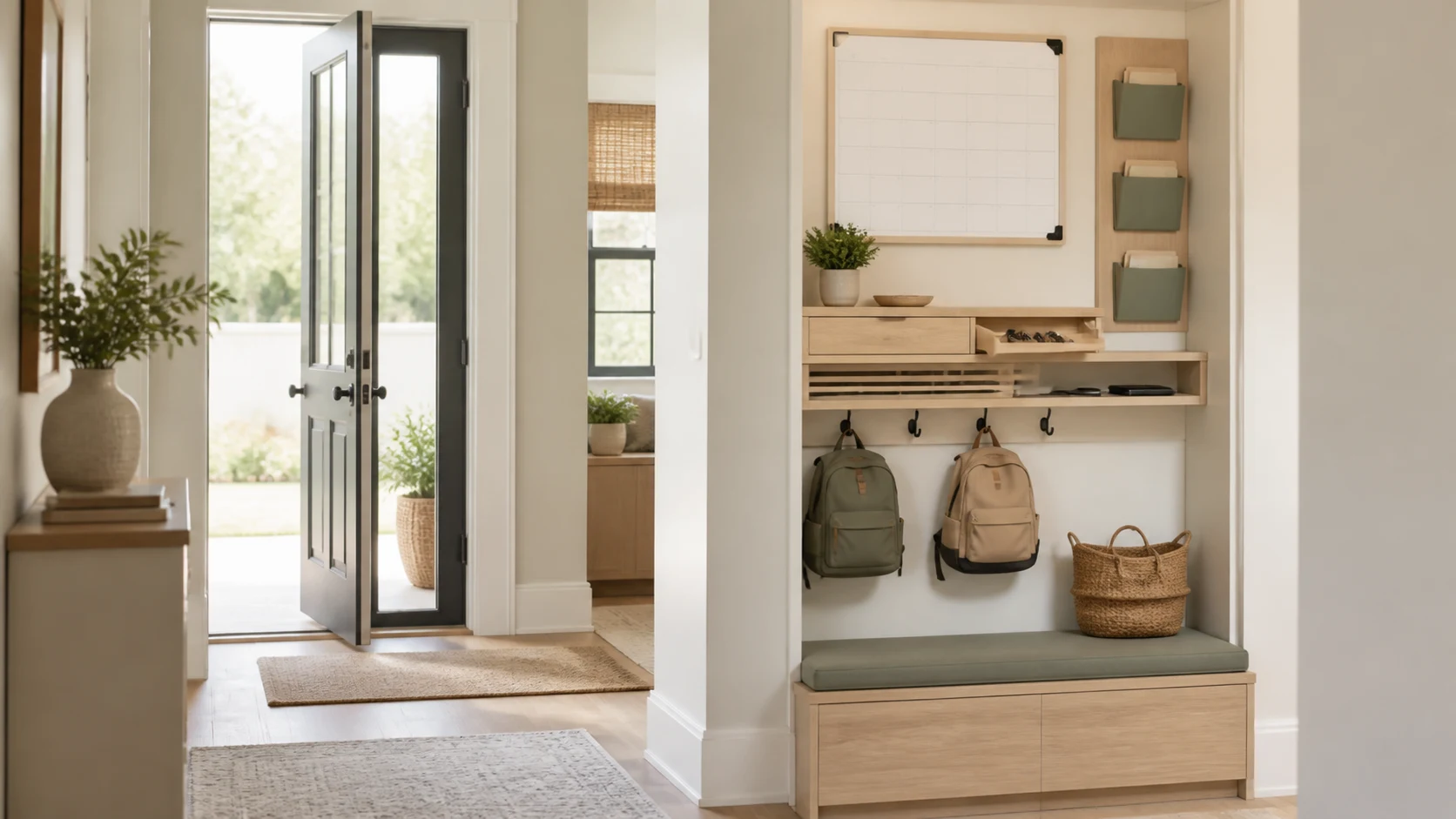
A family command center is a small transition zone where information and objects enter or leave the home: keys, mail, school papers, bags, chargers, returns, and tomorrow’s schedule. When it is designed as a decorative noticeboard alone, the countertop becomes a pile. A useful station assigns each recurring action a reachable place while keeping the entry route clear.
Observe the Arrival Sequence
Follow each household member from the door. What is in their hands? Where do shoes, coats, keys, phones, lunch boxes, mail, and pet leads naturally land? Locate the command center near that path, but outside the door swing and the spot where several people remove shoes.
If the family enters through a garage or side door, placing the only station at the formal front entry may fail. Choose the door used on weekdays. The entryway storage guide can help divide clothing storage from information storage.
Separate Inbox, Action, and Archive
Use three paper states. An inbox receives new mail and school sheets. An action slot holds items requiring a signature, payment, or return. Archive materials move elsewhere on a scheduled review. Without this flow, vertical files become permanent storage and eventually hide deadlines.
Give each person a labeled pocket sized for ordinary documents without folding. Keep sensitive mail out of public sight. Shred or securely dispose of personal information rather than allowing it to accumulate.
Put the Calendar at Shared Eye Level
Mount the weekly or monthly schedule where adults and older children can read it without standing in the doorway. A digital display still needs power, network, privacy settings, and a fallback when offline. A paper calendar needs a pen that always returns to the station.
Keep the display visually simple: family events, departures, pickups, meals, and critical deadlines. Detailed work tasks belong in individual systems. The command center should answer “what affects the household today?” in a few seconds.
Design a Key and Small-Item Landing Zone
Provide hooks or a shallow drawer for keys, access cards, sunglasses, wallets, and headphones. Place them away from direct street view and outside easy reach through a mail slot or open window. A small tray keeps objects from spreading but should not become the destination for unrelated hardware.
If smart locks reduce key use, keep a defined backup-key location that household members know. Do not label keys with a full address.
Charge Devices Without Cable Clutter
A ventilated drawer or shelf can charge phones, watches, school tablets, and power banks if the electrical installation and devices permit it. Keep chargers separated, provide strain relief, and avoid stacking heat-producing devices. Do not install an outlet inside furniture as an improvised extension-cord box.
Decide whether devices charge overnight at the entry or in bedrooms. An entry station can support screen-free sleep, but valuable devices should not be visible from outside. Ensure alarms and emergency communication remain available.
Give Bags and Returns a Parking Place
School bags need hooks at user height with enough wall strength and floor clearance. Heavy backpacks should not hang over a bench where they hit a seated child. Sports bags and reusable shopping bags may need ventilated baskets below.
Create one “leaving home” bin for library books, store returns, packages, or borrowed items. It should be large enough for typical objects but limited so it must be cleared. Keep it beside the exit path, not inside the required door approach.
Preserve Entry Width and Door Operation
Shallow cabinetry is valuable in a hall, but include handles, open drawers, occupied bench depth, and people turning with bags. A 10-inch (25 cm) console may become 13 inches with pulls and leaning baskets. Check the narrowest point against local circulation and accessibility needs.
The front door, closet door, and cabinet fronts should operate together. Do not place hooks where coats project into the face of someone entering. Reflective surfaces and lighting should help orientation without exposing private schedules to visitors.
Make It Maintainable in Five Minutes
The station needs a weekly reset: recycle paper, empty action slots, charge devices, return pens, and move outgoing items. Design capacity for one week, not every school year. Closed storage can reduce visual noise, while one visible tray signals unfinished action.
Use durable, wipeable surfaces and a bright task light. A tiny trash or recycling slot may help, provided it is easy to empty and does not collect food waste.
Plan for Children Without Freezing the Layout
Put hooks and pockets at current child height, but use adjustable rails or redundant mounting points so the system can rise as they grow. Keep medications, sharp tools, identity documents, and hazardous batteries elsewhere. A low whiteboard can support reminders without giving toddlers access to loose magnets or cords.
For separated households or caregivers, include a neutral transfer pocket for forms and essentials. The system should explain itself without relying on one person’s memory.
Test the Morning Rush in 3D
Build the door swing, occupied bench, open drawers, hanging bags and coats, paper pockets, charging shelf, outgoing bin, and two or three people in the Aedifex room planner. Use the 3D demo to simulate everyone leaving within five minutes.
Coordinate the station with mudroom drop-zone planning and use the interior planner for durable finishes that still belong in the home.
Command Center Checklist
- Locate the station beside the door the family actually uses.
- Separate new, action-required, and archived paper.
- Put the shared schedule at readable, privacy-conscious height.
- Assign secure places for keys, cards, and small daily objects.
- Charge devices with approved power, ventilation, and cable control.
- Give bags and outgoing items defined, size-limited parking.
- Keep door swings, accessible approach, and hallway width clear.
- Make a complete weekly reset possible in five minutes.
The best command center reduces decisions at the two busiest moments of the day. Once the morning and evening sequences work, register to save the measured wall, pockets, hooks, and circulation zone.